
Spotxel® Reader
Image-Based Microplate Reading and Assay Analysis
Spotxel® Reader is a free, cross-platform app for image-based microplate reading and assay analysis.
Capture a microplate image with a supported camera or open an existing image, align the well grid, measure color signals, define standards and unknown samples, calculate a standard curve, derive unknown concentrations, review per-well results, and export assay data and PDF reports.
Spotxel Reader is available for iPhone, iPad, Android, Windows, and macOS. Mobile devices support direct image capture and analysis. Desktop systems support image analysis and image capture using available camera devices.
All analysis features are available without payment. The free mode includes a small advertising placement; paid access removes the advertising.
From image to assay results
Capture or import
- Capture a microplate image with a supported camera or open an existing image.
Align and measure
- Align the microplate grid, select the measured color, and calculate signal values for individual wells.
Define the assay
- Name standards and unknowns, assign standard concentrations, and save reusable assay designs.
Calculate and review
- Fit the standard curve, derive unknown concentrations, and inspect the results in the chart and well-data table.
Export and report
- Export assay designs and well data as CSV files, or create a configurable PDF assay report.
Getting Started
To begin, install the app from the app store using the provided links. If you do not have a microplate yet, you can explore the app’s functionality using the sample image and the assay setup CSV file available in the Sample Data section.



User Manual
Find detailed instructions for the complete Spotxel Reader workflow, from image capture and assay analysis to data export and PDF reporting.
Current manual: Spotxel Reader 3.3
In-App Help
Context-specific help is available on every Spotxel Reader page. Select the Help action to open guidance for the current workflow without leaving the app.
Sample Data
You can test the complete image-based assay workflow without capturing your own plate image.
Download the sample microplate image and one of the matching assay setup CSV files. Choose the CSV file that uses your preferred decimal format. Spotxel Reader accepts decimal-point and decimal-comma values and displays numbers according to the system locale.
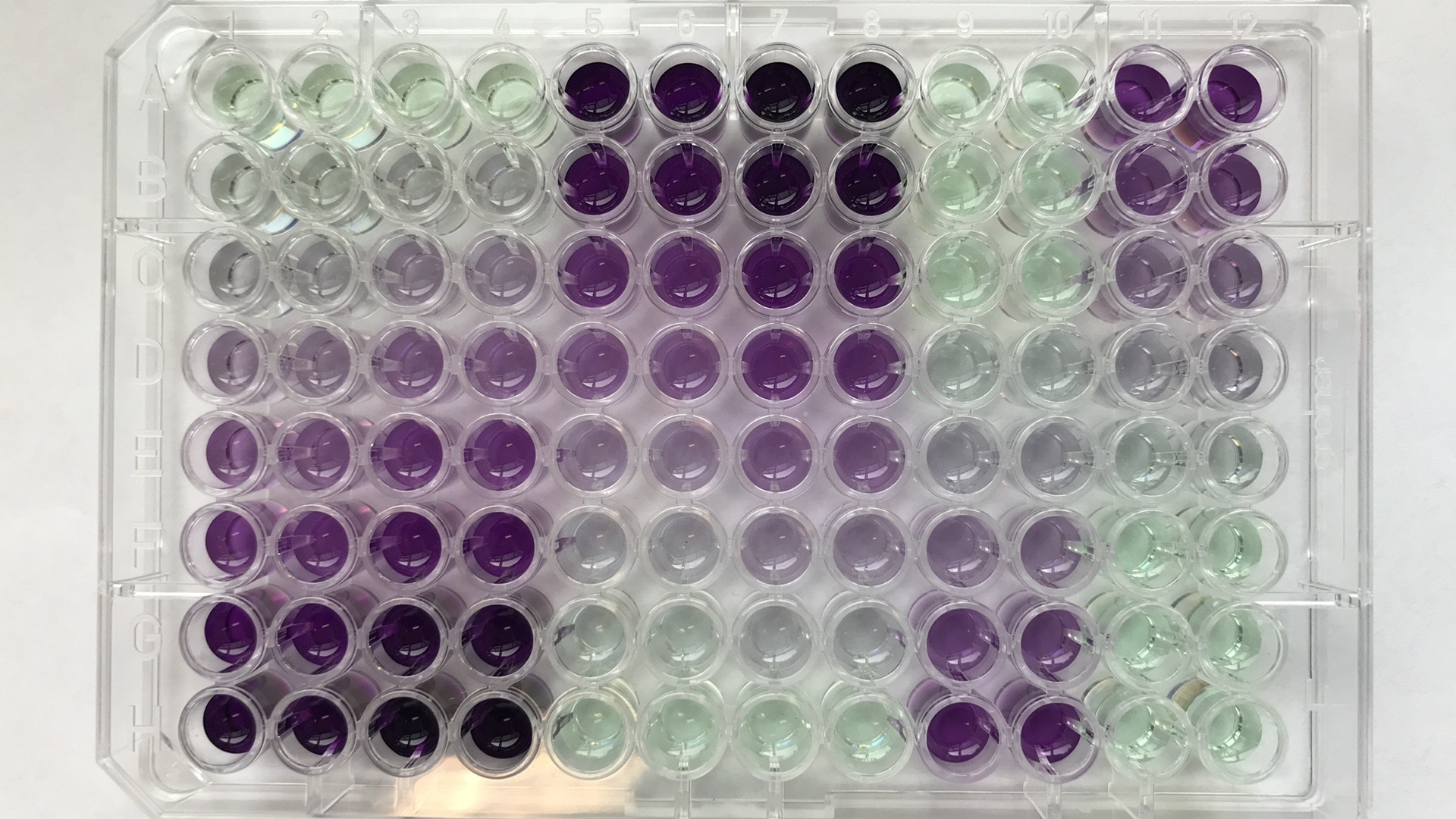
For testing the beta Align Grid feature, download the separate automatic-alignment image package.
Publications
Find research using Spotxel® Reader on Google Scholar. Explore innovative applications and results achieved with our app.
Development and Releases
Spotxel Reader continues to evolve with improvements to automatic plate detection, grid alignment, cross-platform workflows, and assay analysis.
Related Product
Spotxel® Microarray: Discover our intuitive and user-friendly tools for microarray image and data analysis. Learn more.